Stream Deck plugin

Clip Twitch moments from your Stream Deck

Mid-game is the worst time to reach for a keyboard shortcut. A Stream Deck key is already under your hand, and it can show you whether the clip worked.

The Boltis plugin connects your Stream Deck to the Boltis app on your PC. Press Clip Moment and the clip lands in your Boltis library, ready to edit, or already on its way to becoming a captioned vertical Short.

Windows 10/11 • Free • v6.9.0
  • Free pluginOn the Elgato Marketplace
  • Three actionsClip, preview, open
  • Stream Deck 7.1+Hardware or Mobile
  • Windows 10 and 11With the Boltis app

Three actions

What does the Boltis plugin add to Stream Deck?

Clip Moment

Clips the live channel you picked in Boltis. Then it saves the clip, prepares it for review after the stream, or queues an export with one of your presets.

Open Latest Clip

Plays your newest clip in a popup over whatever you have open: as recorded in 16:9, or as a 9:16 Short with a preset applied. It never exports.

Open Boltis

Opens Boltis, or brings its window to the front if it is already running in the tray.
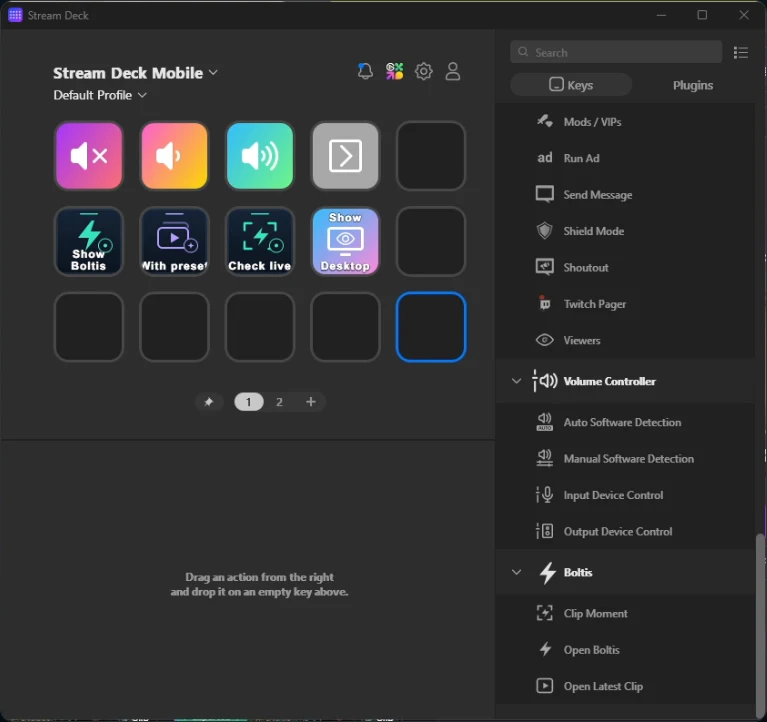
The Stream Deck app with Boltis keys on the deck and the Boltis actions (Clip Moment, Open Boltis, Open Latest Clip) in the action list
The Stream Deck app, with Boltis keys set up and the three Boltis actions in the list.

Clip Moment

What can Clip Moment do after the clip?

Choose one per key. Put two Clip Moment keys on your deck to have both.

  • Save clip to Boltis: the clip goes into your library, ready to edit
  • Prepare for review after streaming: Boltis applies your preset and holds the clip for you to check
  • Queue export: Boltis renders a vertical video with your preset once your stream ends
  • Clip length: the full clip, or 5 to 60 seconds of it
  • Preset: pick one, or let Boltis use your default

Key feedback

How do you know the clip worked?

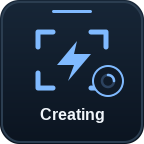
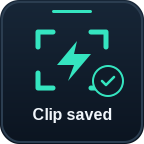
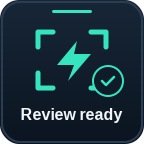
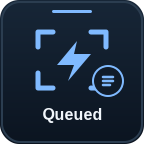
The key changes as the clip is made, so you can see the result without looking away from the game.
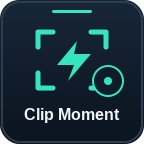
  • Clip Moment key showing ReadyReady
  • Clip Moment key showing CreatingCreating
  • Clip Moment key showing Clip savedClip saved
  • Clip Moment key showing Review readyReview ready
  • Clip Moment key showing QueuedQueued
  • Clip Moment key showing OfflineOffline

Setup

How do you set it up?

  1. 1Install Boltis, sign in and connect your Twitch account.
  2. 2Get the free Boltis plugin from the Elgato Marketplace. It needs Stream Deck 7.1 or later.
  3. 3In Stream Deck, find Boltis in the action list and drag Clip Moment, Open Latest Clip and Open Boltis onto keys.
  4. 4Select Clip Moment and choose what happens after the clip, its length and a preset. Settings save as you go.
  5. 5Go live and press Clip Moment when something happens.

Worth knowing

Honest limits

  • The plugin works with the Boltis desktop app, which runs on Windows 10 and 11. There is no Mac build.
  • You need Stream Deck 7.1 or later, a Boltis account and a connected Twitch account.
  • Clip Moment clips the channel you picked in Boltis. That channel has to be live and allow clips. The plugin never changes which channel you are clipping.
  • Boltis Free and Premium limits still apply. A queued export counts like any other export, and the key confirms it is queued, not finished.
  • Clip length trims what Twitch captured. It cannot make Twitch return more footage than it has.
  • Open Latest Clip uses your newest Twitch clip in Boltis. Video files you imported are not included.
  • The plugin never retries a clip by itself. If a key says to check Boltis, look in your clip library before pressing again.

FAQ

Questions

Is there a Stream Deck plugin for clipping Twitch streams?

Yes. The Boltis plugin is free on the Elgato Marketplace. Its Clip Moment key saves a Twitch clip of your live channel, or of another channel you are clipping with ClipFor, and can send it straight into a preset export.

Is the Boltis Stream Deck plugin free?

Yes. The plugin is free, and so is Boltis for clipping, editing and unlimited exports, with 8 clips a month watermark-free. Premium, at £6.99 per month, removes the watermark and adds features such as more presets and posting to TikTok and YouTube.

How is this different from the Twitch clip key in Stream Deck?

A plain Twitch clip key makes a clip on Twitch and stops there. Clip Moment puts the clip in your Boltis library, and can prepare it for review or queue a vertical export with your preset, with captions and Smart Trim if your preset uses them.

Does it work with Stream Deck Mobile?

Yes. It works with any Stream Deck that runs Stream Deck 7.1 or later on Windows, including Stream Deck Mobile.

Will pressing Clip Moment affect my stream?

No. Boltis asks Twitch to make the clip, the same way the hotkey does, so nothing records on your PC and your frame rate is unchanged. Queued exports wait until your stream ends before they render.

How do I set it up?

Install Boltis, sign in and connect Twitch. Then get the plugin from the Elgato Marketplace, find Boltis in the Stream Deck action list, and drag Clip Moment, Open Latest Clip and Open Boltis onto keys. Settings save as you choose them.

One key for the clip, and the Short after it

Install Boltis, connect Twitch, then add the free plugin from the Elgato Marketplace. Your next good moment is one press away.

Windows 10/11 • Free • v6.9.0