Three ways in
How do clips get into the queue?
However a clip arrives, it renders the same way: in the background, in order.
From the editor
Finish editing a clip and add it to the queue instead of waiting on the render. Carry on with the next clip.
From a hotkey
A clip and queue hotkey formats the clip with a preset and queues it the moment you press the key, mid-stream.
As a batch
Select several clips you have already edited in your library and queue them all in one action.
Batch export
How do you batch export Twitch clips?
- 1Edit your clips in the Boltis editor as normal. Each edit is saved as you go.
- 2In your library, select the clips you want to export.
- 3Queue them in one action.
- 4Leave it. The queue renders them one after another, and the export queue panel shows the progress.
Only clips you have edited can be batched. That is deliberate: a render needs the trims, cuts and captions for that particular clip, and a saved edit has them exactly. Nothing is guessed.
The live rule
Why does Boltis never render while you are live?
Boltis clips through Twitch's API, so capturing a clip has no FPS cost. A render is different. It is real CPU and GPU work, and running it next to your stream encoder would cost frames in the most visible way possible.
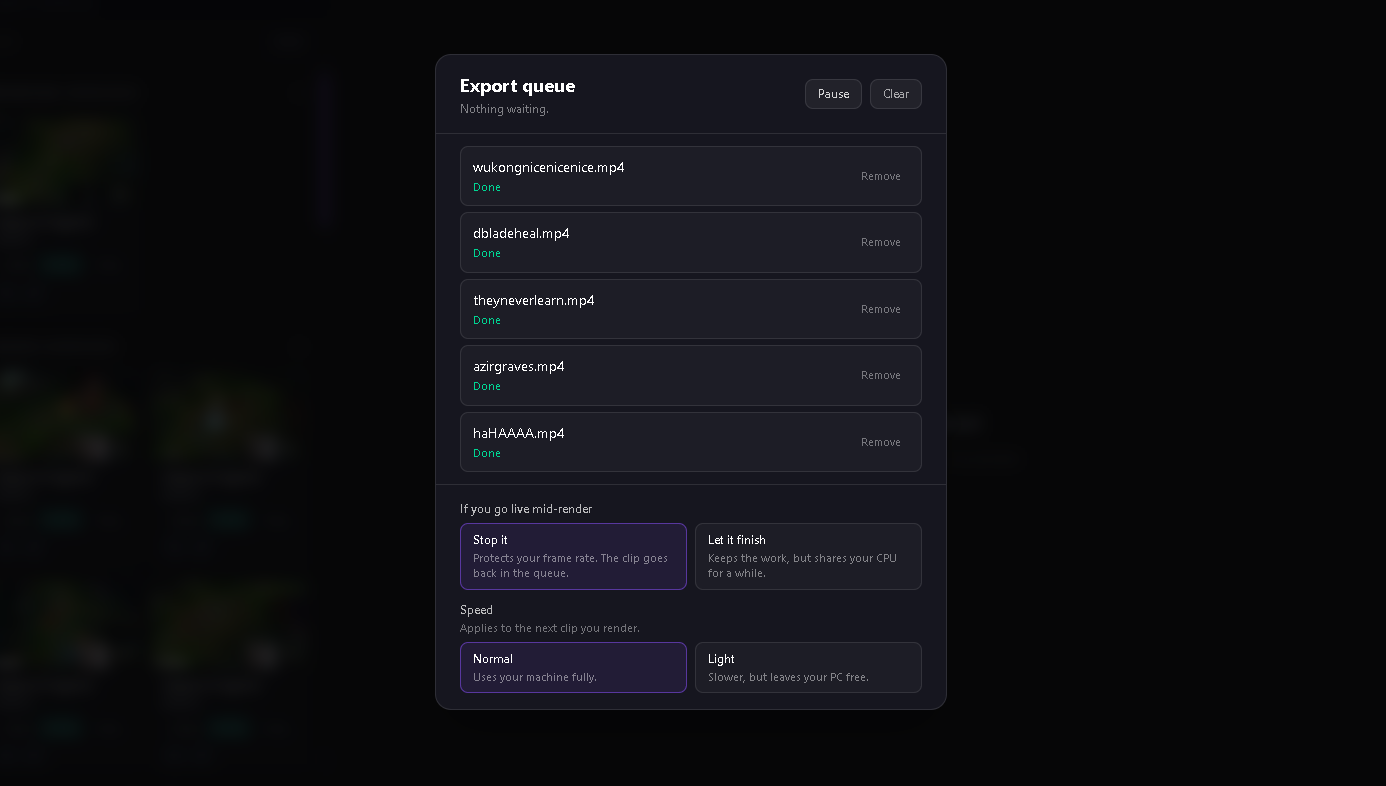
So the queue checks whether you are live before every render, and waits if you are. If you go live partway through a render, Boltis stops it and puts the clip back in the queue. You can change that to let the current render finish instead.
Queue settings
What can you control?
| Setting | What it does |
|---|---|
| If you go live mid-render | Stop it (default): the render stops and the clip goes back in the queue. Let it finish: the current render completes and nothing new starts. |
| Performance | Normal uses your machine fully. Light renders more slowly and leaves your PC free for other things. |
| Pause | Stops the current render straight away and holds the queue until you resume. |
The trade
Is rendering on your PC better than the cloud?
It is a trade, not a clean win. Cloud clipping tools do the rendering on their servers, so your PC does nothing, and in exchange you upload or wait for your VOD to be processed, and the finished clip arrives when their queue gets to it.
Boltis renders locally. There is no upload and no shared queue, and the file lands in your own folder the moment it is done. The cost is that your PC does the work, which is exactly why Boltis waits until you are not streaming, and why Light mode exists.