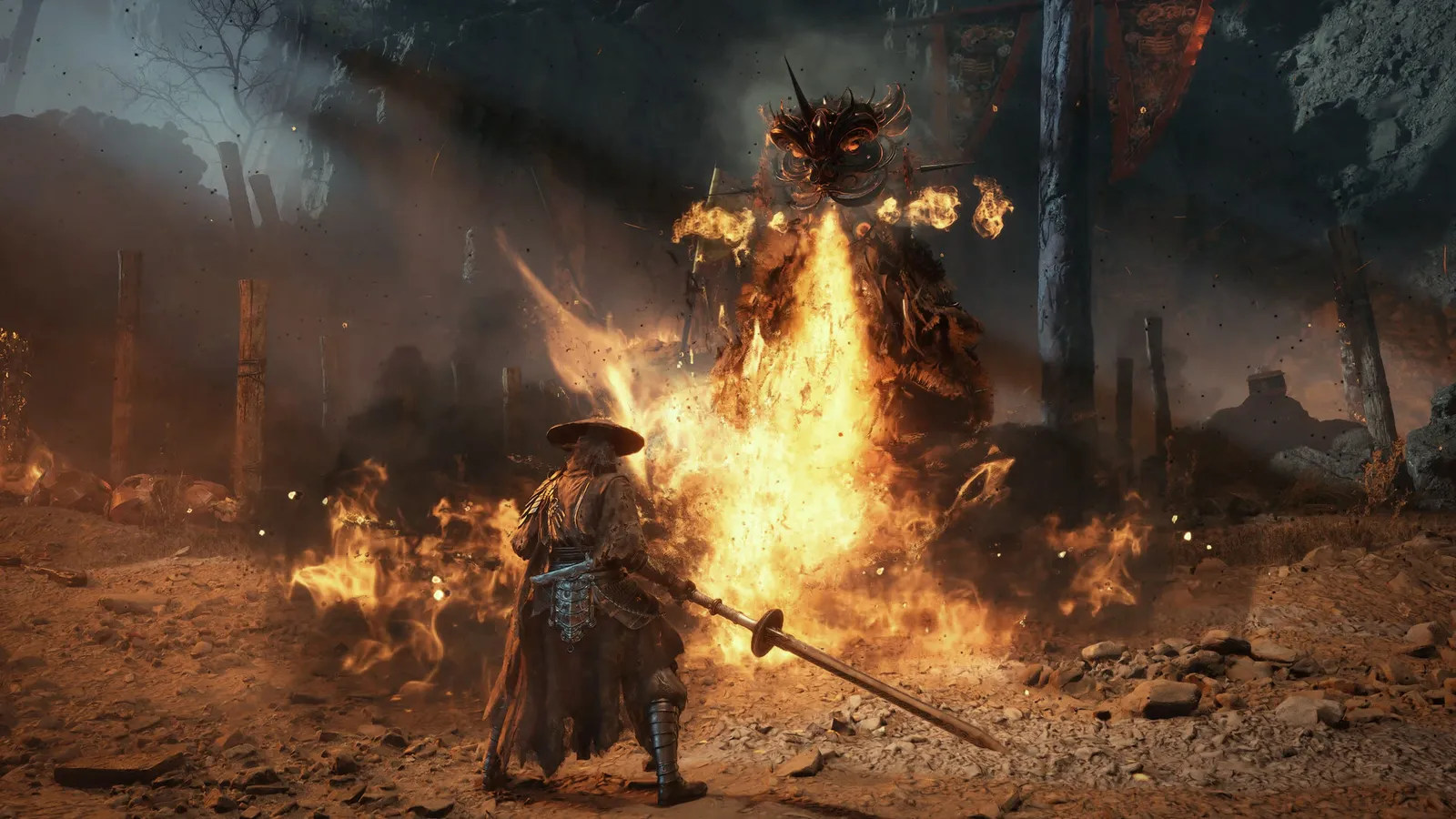
Clip Phantom Blade Zero for TikTok & Shorts
Clip Phantom Blade Zero boss kills and perfect parries while you stream, then turn them into vertical TikToks and Shorts. One hotkey, no FPS hit, free.
Quick answer
To clip Phantom Blade Zero on Twitch, press a hotkey the moment a boss falls or a perfect parry lands while you are live. Boltis saves the last 60 seconds through Twitch's clip API, so nothing records on your PC and your frame rate stays put. Then edit it to vertical with captions for TikTok and Shorts.
Phantom Blade Zero has been out since 29 October, and if you are streaming it, your VODs are already full of the good stuff: the parry you nailed on the fortieth attempt, the boss that finally dropped, the death so unfair that chat spammed it for a full minute.
The problem is finding any of it again. A boss you spent two hours learning lives somewhere in a four-hour VOD, and the moment you actually want is about three seconds long.
This guide covers how to clip Phantom Blade Zero while you play, so the moment is saved the second it happens, and how to turn those clips into vertical TikToks and Shorts that make sense to someone who has never seen your stream.
The one-key version: press
Ctrl+Alt+Hthe moment it happens and Boltis saves the last 60 seconds as a Twitch clip. Free, no FPS hit. (Windows 10 and 11, and you need to be live on Twitch.)
The short facts: Boltis is free. It runs on Windows 10 and 11. Exports are unlimited, and your first 8 clips each month have no watermark. It has no FPS impact, because Twitch makes the clip on its own servers instead of your PC recording anything.
Why are Phantom Blade Zero clips so easy to lose?
Because the best moments are tiny. Phantom Blade Zero is built around reading attacks: a red glow means dodge, a blue glow means parry, and the windows get tighter the further you get. The moment that makes a great Short is often one clean read, half a second long, buried in an hour of learning a boss.
And you are busy. Mid-fight, your hands are on the controller, your eyes are on the boss, and the last thing on your mind is making a note to “clip that later”. After stream, later means scrubbing.
I know that grind. I built Boltis because I was watching my own VODs at 1.5x, audio only, during my 9 to 5, trying to find the bits worth posting. It took hours and I still missed things. Phantom Blade Zero makes it worse, because when a boss takes forty attempts, every attempt looks the same in the VOD except the one that worked.
This is the one key that skips all of it. Download Boltis free, press your hotkey when the boss drops, and the clip is saved before you have stopped shouting.
Which Phantom Blade Zero moments make the best Shorts?
Ranked by how well they survive being cut out of your stream and dropped into a stranger’s feed:
- The boss kill, with your reaction. The final hit and the second after it. This is the clip. Someone scrolling does not need to know the boss’s name to feel a forty-attempt fight end.
- A clean read under pressure. A string of perfect parries and dodges, or breaking the boss’s Sha-Chi gauge and cashing in the damage window. It shows skill in a few seconds, and it needs zero context.
- The death that hurts. The boss is one hit from dead, you try to parry an attack you were meant to avoid, and then there is your face. Fails travel because everyone who plays the game has been there.
- A Phantom Edge or weapon-swap finisher. Flashy, short, and it looks great in fullscreen vertical.
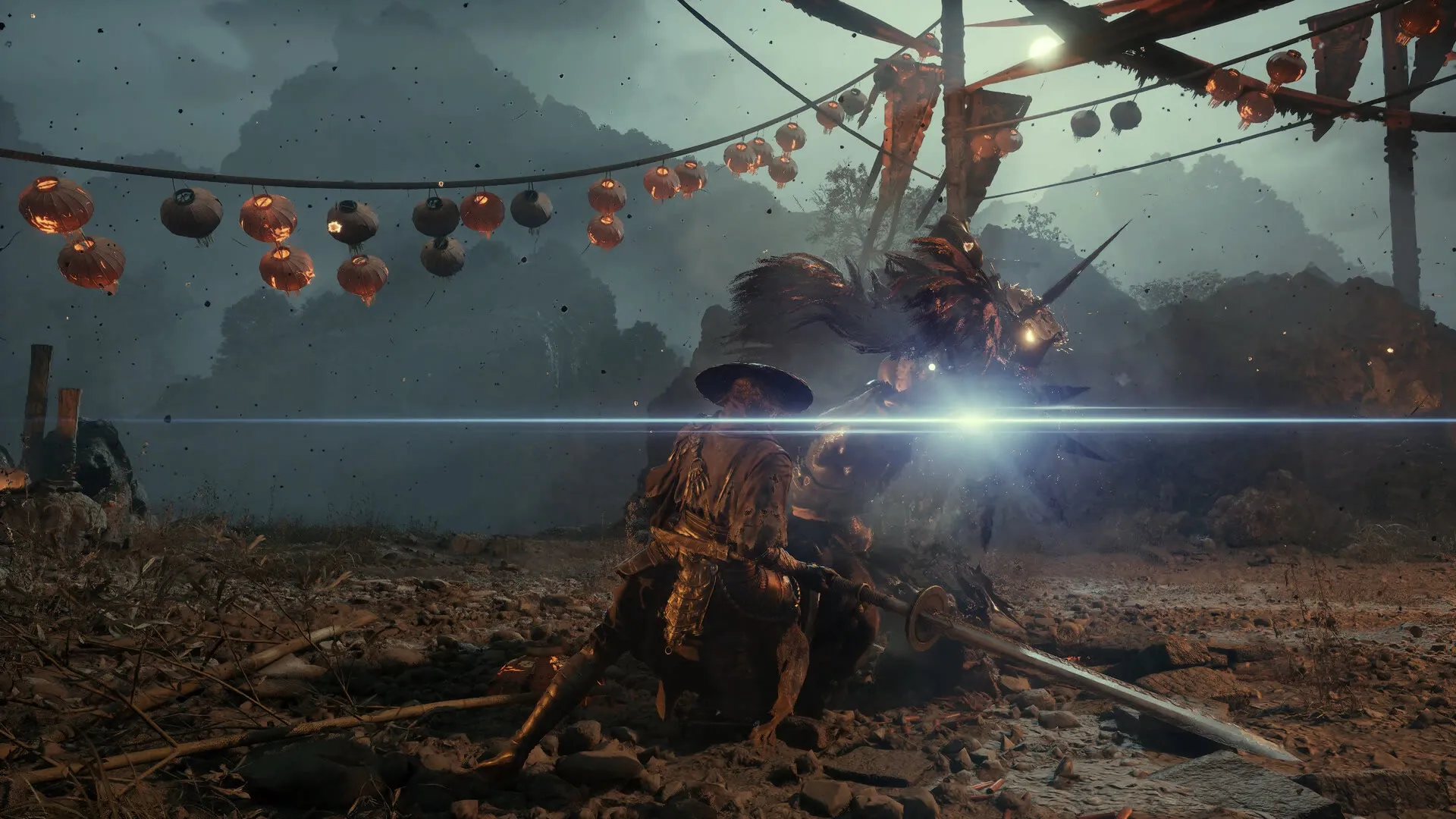
That flash is the whole clip. Screenshot: S-GAME.
Scenery comes a long way after those. Phantom Blade Zero is gorgeous, but a slow pan across a mountain rarely stops a thumb on a phone. Save it for long-form.
If you want to see what those moments look like before you start, S-GAME’s official pre-order trailer is mostly the stuff on this list: parries, finishers and bosses.
How do you clip a boss fight longer than 60 seconds?
You do not clip the whole thing, and honestly you do not want to. A Twitch clip holds the last 60 seconds of your stream. Press the key as the boss goes down and you get the end of the final phase, the killing blow and your reaction. That is the Short.
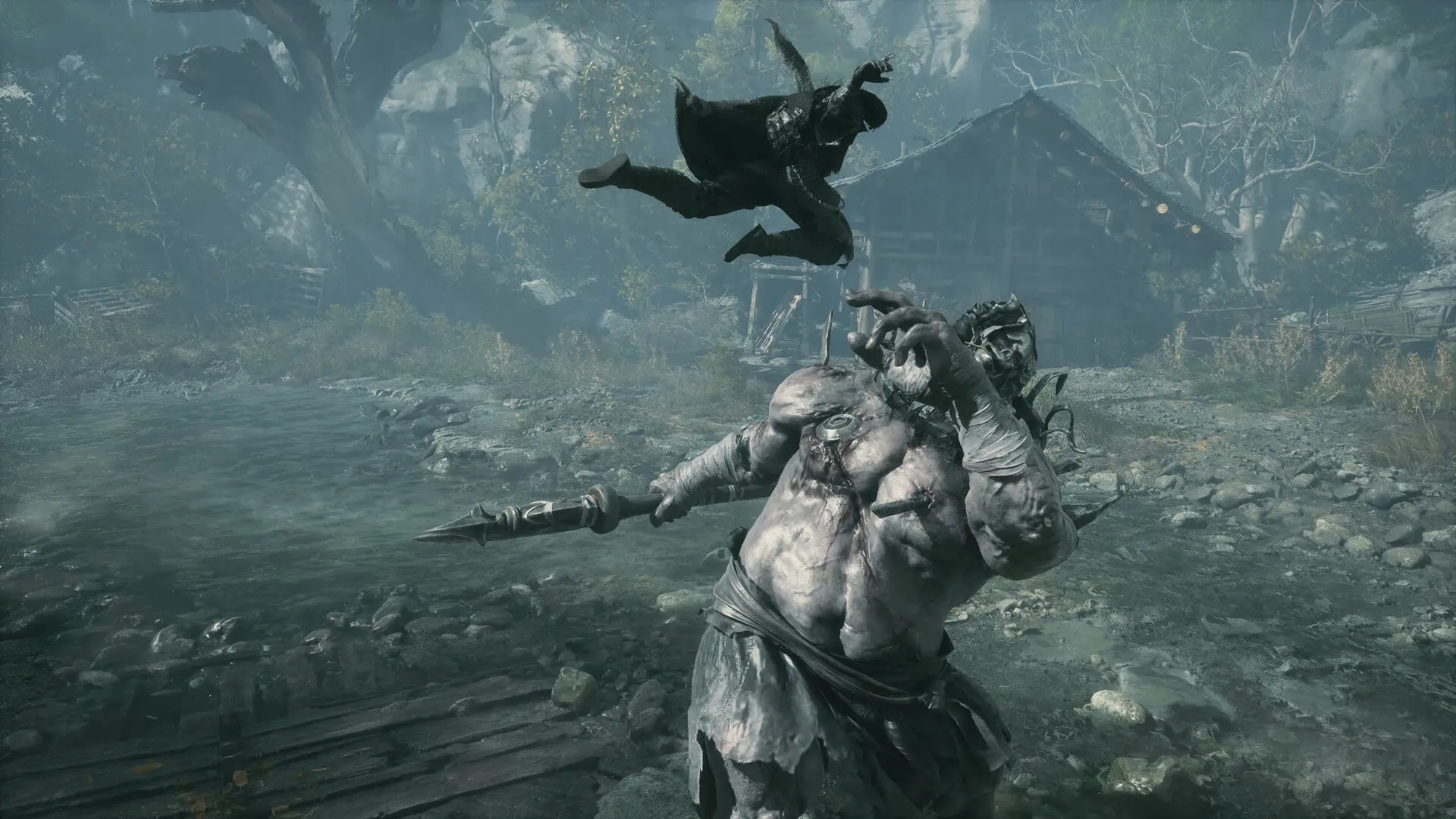
A fight like this does not fit in one minute, and it does not need to. Screenshot: S-GAME.
If a fight has a phase worth keeping on its own, press the key during that phase too. Every press is its own clip, so a three-phase fight can leave you three clips to pick from after stream.
Each hotkey also has a Keeps setting: the whole clip, or just the last 5 to 60 seconds of it. On Premium you can add more hotkeys, each with its own length, so a key that keeps the last 20 seconds for a single perfect parry saves you trimming later.
How do you clip when your hands are on the controller?
Three ways, in the order I would use them:
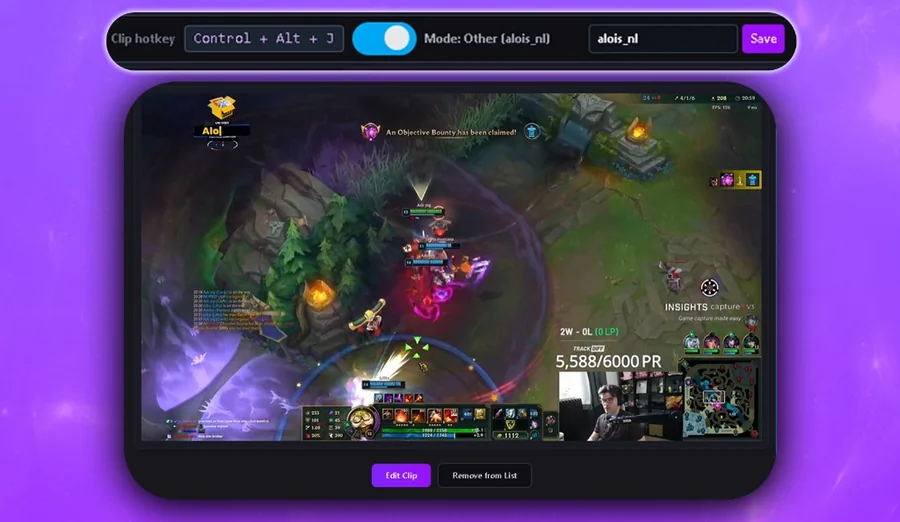
- Bind the hotkey to something you can actually reach. Boltis takes any key or mouse button, with or without Ctrl, Alt or Shift. On keyboard and mouse, a side button is the easiest press mid-fight.
- Let chat do it. The
!clipchat command lets your viewers, subs or mods clip from Twitch chat. It runs from the desktop app, so Boltis needs to be open, and it has a 30 second cooldown. When a boss fight has the whole chat screaming, someone will type it. - Give your mods their own key. Mods can install Boltis, link their own Twitch accounts and clip with their own hotkeys.
If you play on a pad, the second and third are the ones that work mid-fight. Your thumbs are not leaving the sticks during a boss, and they should not have to.
Will clipping cost you frames in Phantom Blade Zero?
No. Boltis does not record your screen, keep a replay buffer, or render anything while you are live. When you press the key, Boltis asks Twitch’s official clip API to make the clip, and Twitch builds it from your live stream on its own servers.
You do not have to take that on trust. Open Task Manager while you stream: Boltis idles at 0% CPU and under 100 MB of RAM. Your PC is busy enough running the game and your encoder.
How do you turn a Phantom Blade Zero clip into a vertical video?
After stream, open the clip in Boltis, pick a layout, trim it, caption it and export it at 1080x1920. Which vertical layout to use depends on what the clip is about:
- Fullscreen for boss kills and combos. In a third-person action game the character sits near the middle of the frame, so a vertical crop of the fight usually just works.
- Split, with your facecam on top, when your reaction is the point. How to put your facecam on top of a vertical Twitch clip walks through the crop boxes.
- Blurred background for big arenas, where a tight crop would cut the boss out of the shot.
Then trim it. Start on the boss’s last attack, not on the walk into the arena, and end as soon as your reaction lands. Add AI captions if you said something worth reading. Every word is editable, which helps when the game’s names come out wrong, and once captions are on, Boltis can suggest cuts for the pauses.
Here is the split layout being set up in the Boltis editor: drag the facecam and gameplay boxes, set the split ratio, and the vertical preview updates as you go.
Leave room at the top and bottom of the frame, because TikTok’s buttons and caption bar sit over the video. If you want to check a framing before you open the app, the free Twitch clip to vertical tool previews it in your browser.
One launch-month courtesy: if the clip is a late-game boss, say so in the on-screen text or the post caption. Plenty of people are still playing it, and a spoiler in someone’s feed earns you a block, not a follow.
The full capture-to-post workflow, for any game, is in how to turn Twitch clips into TikToks.
Can every Phantom Blade Zero clip come out formatted automatically?
Yes, once you have done one by hand. Save that edit as a preset: layout and crop boxes, caption style and animation, overlays, export settings and clip length. Then set your hotkey’s action to Clip and queue, and tick Add captions if you want them. Now one press during a fight saves the clip, formats it with your preset and puts it in the export queue. Nothing opens, and nothing interrupts the fight. Captions are transcribed when the clip renders, not mid-stream.
If you would rather watch each clip before it costs you an export, use Clip and review instead. It formats the clip with your preset and holds it, so you can check it after stream and only export the ones worth posting.
Free includes one preset, and it is used for every clip. On Premium you can have as many as you like, and tie one to the Phantom Blade Zero category on Twitch so it applies whenever you stream it, while your Just Chatting clips keep their own look.
Queued clips render in the background on your PC, one at a time, and never while you are live. Boltis has to be running (closed to the tray is fine). Free holds 2 clips in the queue at a time, and each new clip it renders uses one of your 8 watermark-free clips for the month.
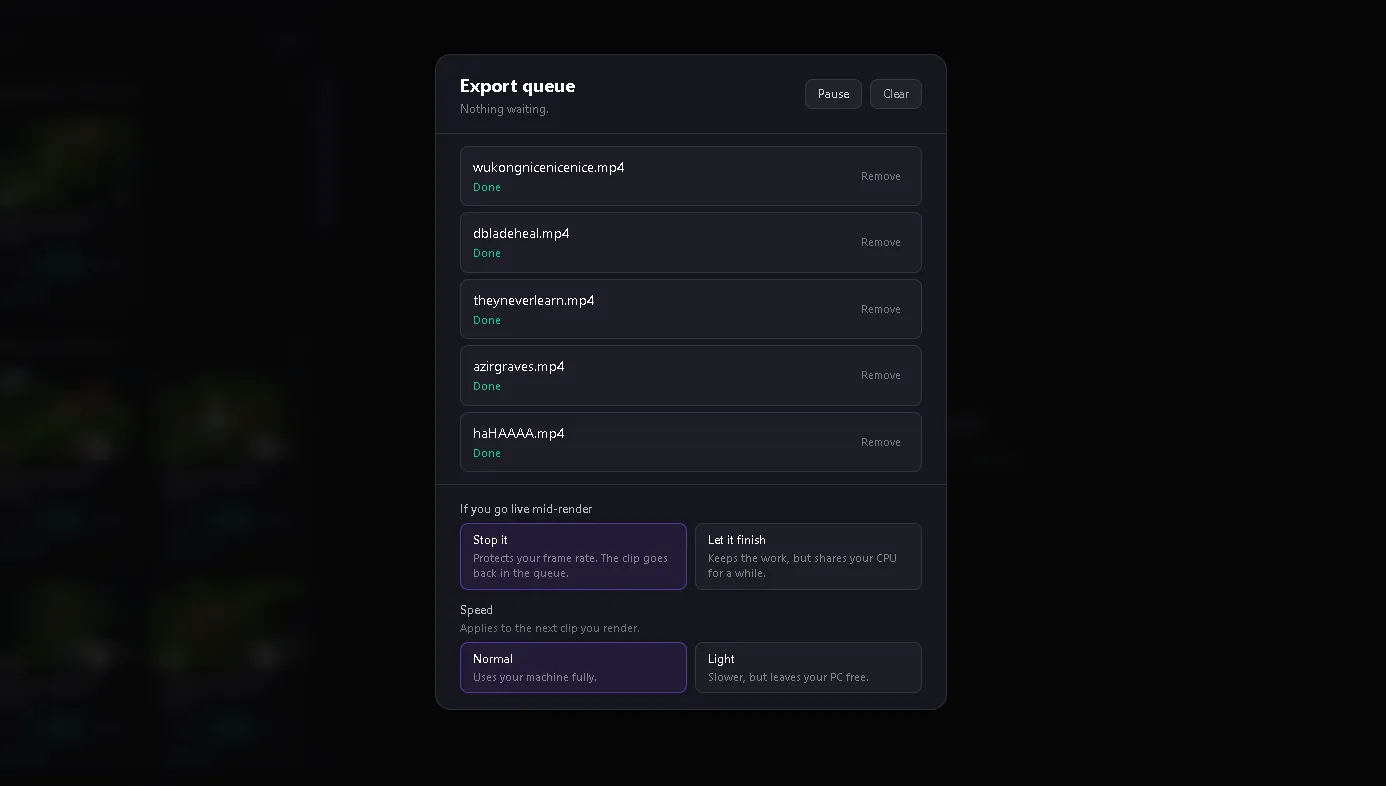
Two honest limits: a queued clip renders with no cuts unless you switch on Smart Trim (Premium), which cuts the slow parts, and a preset’s overlays stay on screen for the whole clip. For a boss kill that is usually fine. For a clip that needs a tighter edit, open it, trim it and export it again.
On Premium, a finished clip can post straight to TikTok with your caption, now or at a time you pick, or go to YouTube. If you want a trending sound on it, send it to your TikTok Inbox instead and post it from the TikTok app.
What are the limits?
- Boltis is Windows 10 and 11 only.
- You need to be live on Twitch to clip your own stream. If you want to test the hotkey first, ClipFor lets you try it on another live channel.
- A clip is the last 60 seconds. If the moment happened five minutes ago, the hotkey cannot reach back for it, so press it when it happens.
- Free exports are unlimited, captions included, and the first 8 clips each month have no watermark. Premium is £6.99 a month or £69.90 a year and removes the watermark. Every new account starts with 5 days of Premium, no card needed.
FAQ
How do I clip Phantom Blade Zero on Twitch?
Press a clip hotkey while you are live, right after the moment happens. Boltis tells Twitch to save the last 60 seconds of your stream as a clip, so you never have to find it in the VOD later.
What Phantom Blade Zero moments work best on TikTok and Shorts?
Boss kills with your reaction, clean parry and dodge chains, and deaths that genuinely hurt. Each one has a clear setup and payoff that makes sense to someone who has never seen your stream.
Can I clip a whole Phantom Blade Zero boss fight?
Not in one clip. A Twitch clip holds the last 60 seconds, so press the key when the boss falls and you get the end of the fight, the final hit and your reaction. For a long fight, press it during each phase you want to keep.
Does clipping Phantom Blade Zero lower my FPS?
No. Boltis does not record your screen. Twitch makes the clip on its own servers from your live stream, so there is zero FPS impact on the game or your stream.
Can my viewers clip Phantom Blade Zero for me?
Yes. The !clip chat command lets viewers, subs or mods clip from Twitch chat while Boltis is open on your PC, with a 30 second cooldown. Mods can also install Boltis and clip with their own hotkeys.
Which layout should I use for Phantom Blade Zero clips?
Fullscreen for boss kills and combos, because the fight is the whole point. Split, with your facecam on top, when your reaction is the joke. Blurred background for wide arenas that lose the boss when you crop them.
Can Boltis format every Phantom Blade Zero clip automatically?
Yes. Save a preset with your layout, caption style and export settings, then set your hotkey to Clip and queue and tick Add captions. On Premium, a preset can be tied to the Phantom Blade Zero category so it applies whenever you stream it.
Is Boltis free for Phantom Blade Zero clips?
Yes. Clipping and the editor are free forever, and free exports are unlimited, with captions and 8 clips a month watermark-free. Boltis runs on Windows 10 and 11, and you need to be live on Twitch to clip your own stream.
Ready to keep the kill?
You know the moment the boss drops. You knew it the second the last parry landed. Press one key and keep it, instead of scrubbing for it tonight or letting an AI clipper guess at it next week. If you want the longer version of that argument, it is in Boltis vs AI clippers.
Boltis saves the clip with no FPS impact, formats it with your preset and renders it after your stream, so you finish the session with boss kills ready to post. It is free, exports are unlimited, and it runs on Windows 10 and 11. You do need to be live on Twitch to clip your own stream.
Download Boltis free for Windows and keep the next boss kill the second it happens.