Best Clipping Software for PC in 2026, Compared by a Streamer
The best clipping software for PC in 2026: NVIDIA, AMD, Medal, OBS, Outplayed, SteelSeries, Game Bar and Boltis, compared on price and performance.
Quick answer
The best clipping software for PC depends on your setup. The NVIDIA app and AMD Software are free and light if your graphics card matches. Medal is the best free all-rounder for sharing. OBS replay buffer gives the most control. If you stream on Twitch, Boltis clips the stream itself with one hotkey and no local recording.
You hit the shot of the year, you reach for the clip key, and nothing was recording. Or something was, and it has been eating 10% of your GPU for the last three hours.
That is why “best clipping software for PC” is a harder question than it looks. There are two very different kinds of clipper, and the right one depends on whether you just play, or play on stream.
I build Boltis, a free clipping app for Twitch streamers, so I will tell you upfront where it fits and where it does not. For a lot of people reading this, the best clipping software is something already on their PC.
The short version: if you just play, use the clipper in your graphics driver or Medal. If you stream on Twitch, Boltis saves the last 60 seconds of your stream with one hotkey, records nothing on your PC, and edits it into a vertical Short. Free, Windows 10 and 11.
What kinds of clipping software are there?
Every clipper does one of two things.
It records your PC. The NVIDIA app, AMD Software, Medal, OBS, Outplayed, SteelSeries Moments and Xbox Game Bar all keep a rolling recording of your screen, usually called a replay buffer or instant replay. When you press the hotkey, the last few seconds or minutes are saved to a file. It works for any game, online or offline, streaming or not. The cost is that your PC is always encoding video in the background.
It clips the stream. Twitch can cut a clip of a live stream on its own servers. Boltis uses Twitch’s official clip API, so when you press the hotkey, Twitch makes the clip from your broadcast. Nothing records your screen, so there is no FPS impact. The catch: you have to be live on Twitch.
If you never stream, you need the first kind. If you stream, you probably already have the second kind’s footage on Twitch, and recording it again on your PC is doing the same work twice.
What is the best clipping software for PC in 2026?
Ranked by who should use them. Prices and details were checked in November 2026.
1. NVIDIA app (Instant Replay): best if you have a GeForce card
Instant Replay, which used to be called ShadowPlay, is built into the NVIDIA app. It keeps a rolling buffer of up to 20 minutes and saves it when you press the hotkey, Alt+F10 by default. It records with the graphics card’s hardware encoder, so the performance cost is small.
It is free, there is no watermark, and it is already installed if you use NVIDIA’s drivers. The editing is basic, so for vertical Shorts you will need another editor. Our best Twitch clip editor comparison covers the main options.
Best for: anyone with an NVIDIA graphics card who wants clips with no extra software.
2. AMD Software (Instant Replay): best if you have a Radeon card
AMD’s driver app, AMD Software: Adrenalin Edition, has its own record and Instant Replay features that do the same job on Radeon cards, using AMD’s hardware encoder. It is free and comes with the driver.
Best for: anyone with an AMD graphics card. Same trade-offs as NVIDIA’s.
3. Medal: best free all-rounder
Medal records in the background, clips on a hotkey, auto-clips in supported games, and makes sharing a clip a link away. It works on any graphics card. The free plan uploads clips at up to 1080p. Premium is $9.99 a month, or $7.99 a month billed yearly, and Medal’s own blog says it removes the watermark and outro from downloaded clips and lifts the 1080p cap.
Best for: players who want auto-clipping, a library and easy sharing in one free app.
4. OBS Studio replay buffer: most control
OBS is free, open source, and has no paid tier. Turn on the Replay Buffer in Settings, Output, set how many seconds to keep, and bind a Save Replay hotkey. You control the encoder, quality and length.
It is the most manual option. You get a file, and trimming it and making it vertical happens somewhere else. If you already stream with OBS, it is worth knowing about. We have a whole post on free Twitch clipping software that covers it for streamers.
Best for: people who already use OBS and like setting things up themselves.
5. Outplayed: auto-capture across a big game library
Outplayed runs on Overwolf and captures your highlights automatically in supported games, so you do not have to remember a hotkey. It is free and supported by ads.
Best for: players who want hands-off auto-clipping and do not mind ads.
6. SteelSeries Moments: free with SteelSeries GG
Moments is part of SteelSeries GG, and SteelSeries says it works with any setup, not just their hardware. It records clips on a hotkey and can auto-clip in some supported games, which SteelSeries lists game by game.
Best for: players already using SteelSeries GG.
7. Xbox Game Bar: already in Windows
Press Win+Alt+G and Windows saves the last 30 seconds, as long as background recording is on in Windows Settings, Gaming, Captures. You can make the window longer there. It is basic, but it is there on every Windows 10 and 11 PC, with nothing to install.
Best for: grabbing the odd clip without installing anything.
8. Boltis: best for Twitch streamers
Boltis does not record your PC. Press the hotkey (Ctrl+Alt+H by default) while you are live and the last 60 seconds of your stream is clipped on Twitch, instantly. Then the built-in editor turns it into a 1080 by 1920 vertical clip for TikTok, YouTube Shorts and Reels, with split, fullscreen or blurred layouts, AI captions and overlays.
Boltis is free. Boltis runs on Windows 10 and 11. Boltis has no FPS impact, because Twitch makes the clip, not your PC. Free exports are unlimited, with 8 clips a month watermark-free, and Premium is £6.99 a month.
Best for: Twitch streamers who want their best moments as Shorts without recording everything twice.
How do they compare?
| Software | Price | How it captures | Works on | Auto-clips | Best for |
|---|---|---|---|---|---|
| NVIDIA app | Free | Records your PC | NVIDIA graphics cards | No | Light clipping on GeForce |
| AMD Software | Free | Records your PC | AMD graphics cards | No | Light clipping on Radeon |
| Medal | Free, Premium $9.99/month | Records your PC | Any PC | Yes, supported games | Auto-clips and sharing |
| OBS replay buffer | Free | Records your PC | Any PC | No | Full control |
| Outplayed | Free, with ads | Records your PC | Any PC | Yes, supported games | Hands-off capture |
| SteelSeries Moments | Free | Records your PC | Any PC | Yes, some games | SteelSeries GG users |
| Xbox Game Bar | Free, built in | Records your PC | Windows 10 and 11 | No | Nothing to install |
| Boltis | Free, Premium £6.99/month | Clips your Twitch stream | Windows 10 and 11, while live on Twitch | No, you pick the moment | Twitch streamers making Shorts |
Prices checked in November 2026. They change, so check each app’s own page before you pay for anything.
Which clipping software is best for performance?
The lightest clippers are the ones in your graphics driver. The NVIDIA app and AMD Software record with the dedicated video encoder on the card, which barely touches your game.
Barely is not zero, though. Every tool that keeps a replay buffer is encoding video for as long as you play, and writing it to disk when you save. On a low-end PC, or a PC that is already streaming, that adds up.
Boltis is the exception because it does not capture anything. Boltis idles at 0% CPU and under 100 MB of RAM. You can check that yourself in Task Manager while you stream. The clip is made by Twitch from the stream you are already sending.
How do you clip the last 5 minutes on PC?
Set your replay length to at least 5 minutes, then press the save hotkey when something happens.
- NVIDIA app: open the overlay with Alt+Z, go to Instant Replay settings, and set the length. It goes up to 20 minutes.
- OBS: in Settings, Output, Replay Buffer, set the maximum replay time in seconds.
- Xbox Game Bar: in Windows Settings, Gaming, Captures, change how much background recording it keeps.
- Medal: set the clip length in its recording settings.
Twitch clips, and so Boltis, are capped at 60 seconds. For a 5-minute moment, use one of the tools above, or cut it from your past broadcast with VOD to clips in Boltis, which takes up to 120 seconds per clip.
Why I built a clipper that does not record anything
I stream as NeroZYN. Before Boltis, my clipping workflow was watching my own VODs at 1.5x speed, audio only, during my 9 to 5, hunting for the moments I already knew had happened.
The answer was not recording more. My stream was already on Twitch. I just needed to mark the moment while it happened, and get it into a vertical format without opening a full editor. So that is what Boltis does: one key while you are live, the clip exists on Twitch, and it shows up in Boltis ready to edit.
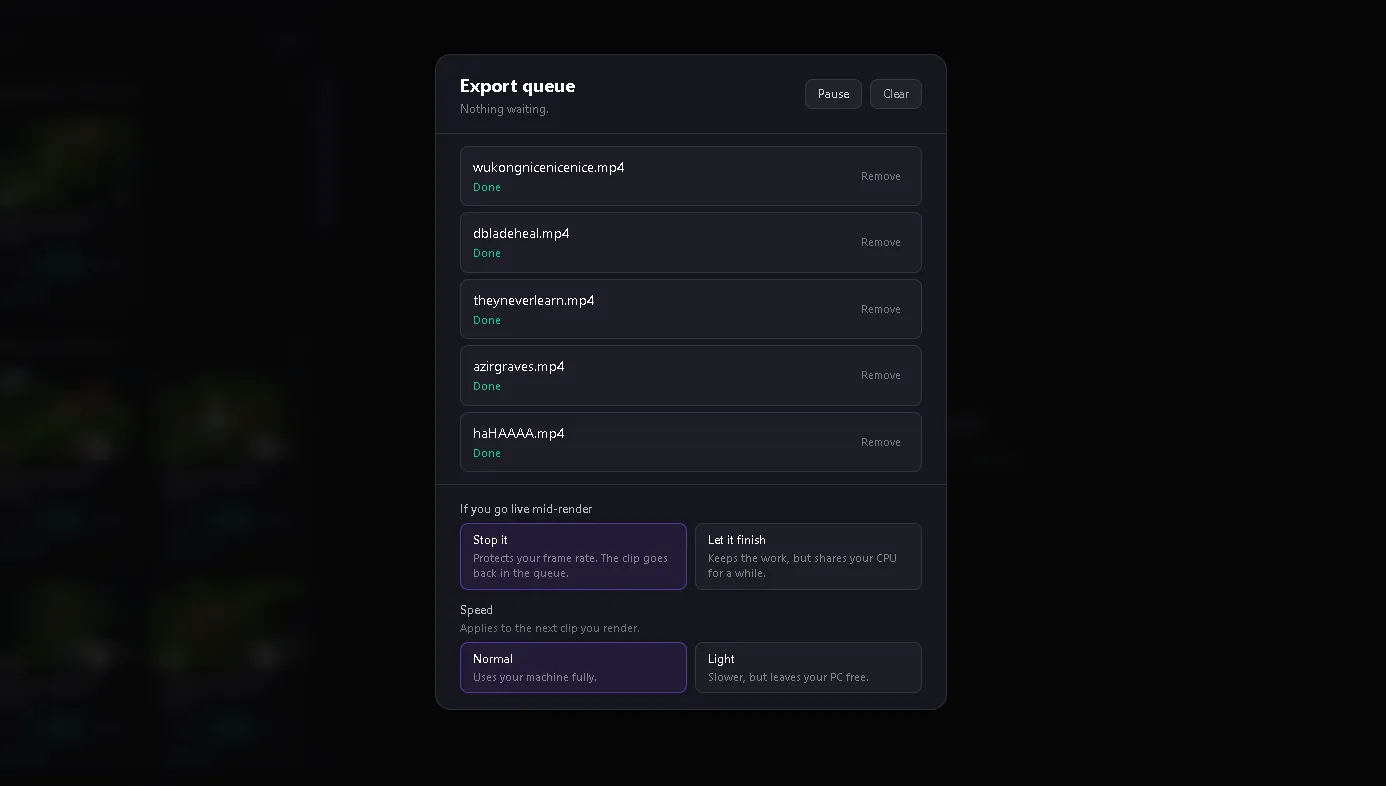
Clips render in the background, never while you are live.
If you stream on Twitch, that is the one key that skips the scrubbing. Download Boltis free.
Do you need clipping software if you stream on Twitch?
You do not need a second recorder. When you are live, Twitch already has the footage, and its clip button saves up to 60 seconds of it. The problems are speed and what comes after: reaching for the clip button mid-fight, and then turning a 16:9 clip into a vertical Short.
That is the gap Boltis fills: a global hotkey so you never alt-tab, vertical layouts with your facecam on top, auto captions, and posting to TikTok and YouTube on Premium. For the full workflow, see how to turn Twitch clips into TikToks.
You still pick the moment. Boltis does not guess your highlights with AI, because you know better than any model which moment made chat lose it.
What are the limits?
So nobody downloads the wrong thing:
- Boltis only clips while you are live on Twitch. If you do not stream, it is not your clipper. Use the NVIDIA app, AMD Software or Medal.
- Boltis is Windows only. Windows 10 and 11, no Mac or Linux.
- Twitch clips are 60 seconds at most. For longer moments, use a replay buffer, or VOD to clips after the stream.
- The driver clippers need the matching card. The NVIDIA app needs a GeForce card, and AMD’s needs a Radeon.
- Free tiers change. The details here were checked in November 2026.
So which clipping software should you use?
- You have an NVIDIA card and just want clips: the NVIDIA app.
- You have an AMD card: AMD Software.
- You want auto-clipping and easy sharing: Medal.
- You want full control: OBS replay buffer.
- You do not want to install anything: Xbox Game Bar.
- You stream on Twitch and want Shorts: Boltis.
If you are in that last group, you already have the footage. You just need to catch the moment. Download Boltis free: one hotkey, no recording, vertical clips ready to post. Free on Windows 10 and 11, no FPS impact, and you pick the moments, not an AI. You need to be live on Twitch to clip.
Frequently asked questions
What is the best clipping software for PC?
For most PC gamers it is the clipper built into your graphics driver: the NVIDIA app on GeForce cards or AMD Software on Radeon cards. Medal is the best free all-rounder if you want auto-clipping and easy sharing. If you stream on Twitch, Boltis clips the stream itself with one hotkey.
What is the best free clipping software?
The NVIDIA app, AMD Software, OBS Studio and Xbox Game Bar are free with no paid tier at all. Medal, Outplayed and SteelSeries Moments are free to use with optional upgrades. Boltis is free for Twitch streamers, with unlimited exports and 8 clips a month watermark-free.
What is the best clipping software for performance?
Clippers that use your graphics card’s hardware encoder, like the NVIDIA app and AMD Software, have the smallest impact while they record. Any tool that keeps a replay buffer is still encoding in the background. Boltis records nothing on your PC because Twitch creates the clip, so it has no FPS impact.
How do I clip the last 5 minutes on PC?
Set your replay length to 5 minutes, then press the save hotkey after the moment. The NVIDIA app allows up to 20 minutes, and OBS replay buffer and Xbox Game Bar let you set the length too. Twitch clips, and Boltis, are capped at 60 seconds.
What clipping software is better than Medal?
It depends on what you want from it. The NVIDIA app or AMD Software is lighter if you only need to save clips. OBS gives more control. If you stream on Twitch and want vertical Shorts, Boltis clips the stream without recording your PC and edits it to 9:16.
Does clipping software lower FPS?
Anything that records a rolling buffer uses some of your PC while you play, usually a small amount with a hardware encoder. Clipping through Twitch does not, because Twitch cuts the clip on its servers. Boltis idles at 0% CPU and under 100 MB of RAM.
What is the best clipping software for Twitch streamers?
Boltis. One hotkey saves the last 60 seconds of your live stream to Twitch, then the built-in editor turns it into a vertical clip with captions for TikTok, YouTube Shorts and Reels. It runs on Windows 10 and 11 and is free.
Is Boltis free?
Yes. Clipping and the editor are free forever, and free exports are unlimited, with 8 clips a month watermark-free. Optional Premium is £6.99 a month. Boltis runs on Windows 10 and 11.