Clip FPS Highlights for TikTok & Shorts
How FPS streamers clip Valorant, Apex, and CoD highlights into TikToks and YouTube Shorts that hold attention from the first second.
Quick answer
To clip FPS highlights for TikTok and Shorts, press a hotkey the instant a clutch, multi-kill, or funny fail happens while you are live. Boltis saves the last 60 seconds through Twitch's clip API with zero FPS impact, since nothing records locally. Trim to the payoff, add captions, and export in 9:16 vertical, ready for TikTok, Shorts, and Reels.
If you stream FPS games, you already know the best moments happen fast. One clean headshot, a last-second clutch, or a perfect 1v3 can be enough to carry a short-form video, if you clip it well.
This guide shows you how to turn FPS stream moments into TikTok and YouTube Shorts clips that actually hold attention, get watched to the end, and feel worth sharing. Whether you’re streaming Valorant, Call of Duty, Apex Legends, Counter-Strike, or Fortnite, the process is the same: find the moment, shape the story, and package it for short-form platforms.
Download Boltis free and start capturing your best FPS moments live.
Why do FPS clips work so well on short-form?
FPS content is naturally built for short-form video because it already has tension, payoff, and movement. Every round creates tiny story arcs: setup, pressure, action, reaction, result.
That matters because TikTok and Shorts reward videos that get to the point quickly and keep people watching. A good FPS clip does not need a long intro or explanation. It only needs a clear moment of skill, surprise, or chaos.
What makes FPS clips perform best is usually one of these:
- A clutch under pressure.
- A clean multi-kill.
- A funny fail with a strong reaction.
- A suspiciously good play that looks impossible.
- A team moment with a strong emotional payoff.
If your clip does not contain tension or payoff, it usually feels flat. That does not mean the gameplay is bad. It just means the clip needs better framing.
How do you start with the right moment?
Most creators make the mistake of clipping whatever looks impressive to them in the moment. That is a bad filter. The better question is: does this moment create curiosity, surprise, or satisfaction for someone who did not watch the full stream?
The best FPS clips usually start slightly before the action, not right at the kill. You want enough context for the viewer to understand what is at stake, but not so much that the clip becomes slow.
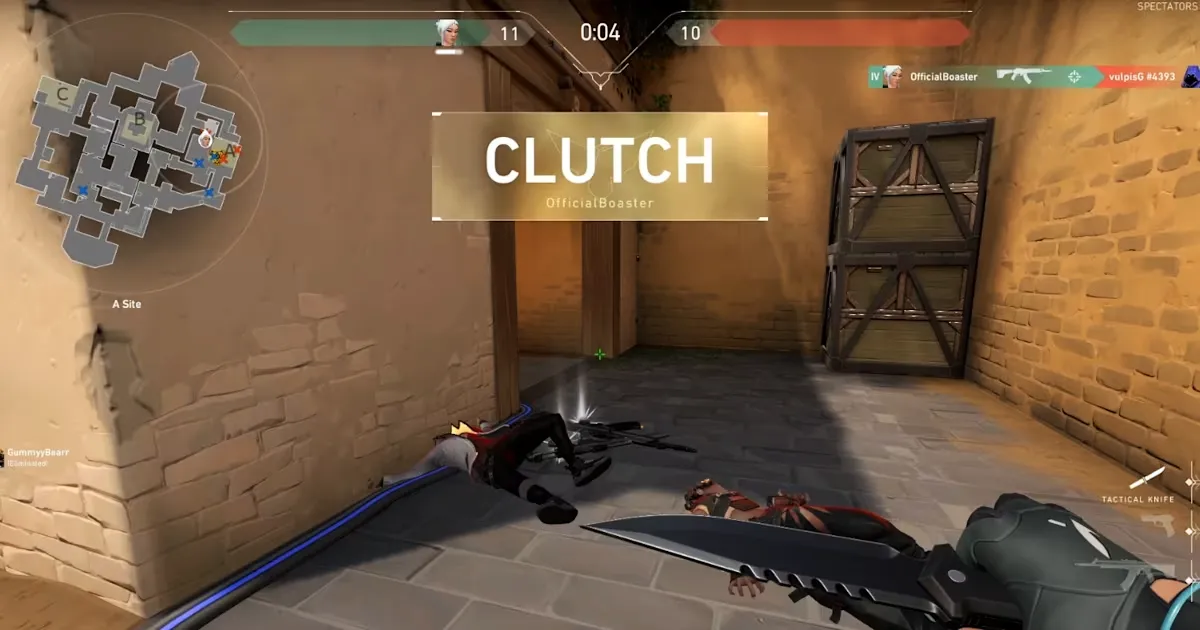
A good clip candidate usually has:
- A clear beginning.
- A moment of tension.
- A payoff within the first few seconds.
- A strong reaction or visible outcome.
- No dead time before or after.
If the best part happens at second 42, your clip should probably start around second 35. That gives the viewer just enough setup to care.
What should you look for in FPS streams?
When reviewing your stream, you are not looking for “the coolest part.” You are looking for the most watchable part.
In FPS games, the best moments usually fall into a few categories.
Mechanical skill
Aim-heavy plays, flicks, movement outplays, and multi-kills. These clips work best when the action is easy to follow visually.
High-stakes moments
Clutches, near-wins, last-player-standing situations, and round-saving plays are strong because they naturally create suspense.
Emotional reactions
A genuine reaction after a win, loss, or ridiculous play often makes the clip feel more human. That can be just as valuable as the gameplay itself.
Unexpected outcomes
Funny misses, accidental plays, absurd team wipes, and chaotic third-party moments often do well because they break expectation.
Clean narrative arcs
Some clips work because they have a tiny story: setup, execution, result. Those are the easiest to turn into Shorts because they feel complete.
Boltis lets you save moments like these with a single hotkey while you stream, so nothing gets lost.
How do you shape the clip?
A strong clip is not just a raw replay. It needs editing decisions that make the moment easier to understand and more satisfying to watch.
The simplest formula is:
- Cut the clip so the hook happens fast.
- Remove dead space, hesitation, and menu time.
- Keep the action centred and visible.
- Add captions if the reaction matters.
- End as soon as the payoff is clear.
For FPS clips, pacing matters more than polish. A slightly rough clip with great timing will outperform a beautifully edited clip that takes too long to get to the point.
If possible, make sure your clip answers these questions fast:
- What is happening?
- Why does it matter?
- What just changed?
- Why should I keep watching?
If the viewer has to work to understand the clip, you will lose them.
How do you make it TikTok-friendly?
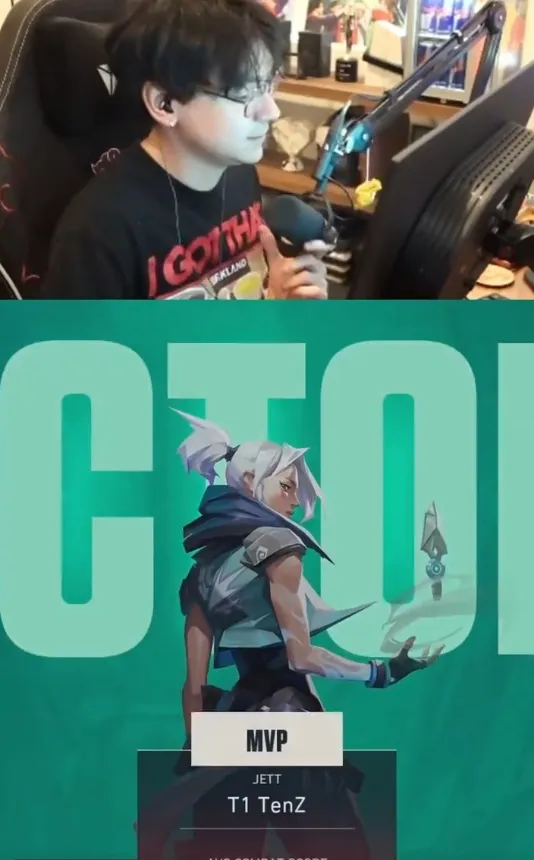
TikTok and Shorts are not designed for passive watching. They are designed for immediate judgment. That means your clip needs to feel native to the format, not simply uploaded into it. When you export, a free Twitch clip editor with no watermark keeps your FPS highlights clean for posting.
A strong TikTok-ready FPS clip usually has:
- A vertical or optimised 9:16 layout.
- On-screen captions or context text.
- A strong first frame.
- No long intro sequence.
- A clear visual focal point.
The first second is especially important. If the opening frame looks boring, the viewer swipes away before the clip has a chance to prove itself.
You can also use a short text hook above the clip, such as:
- “Wait for the last shot.”
- “I should not have won this.”
- “This clutch got way too close.”
- “My aim saved this round.”
- “The reaction was louder than the kill.”
These create curiosity without overexplaining the clip. For more on the full workflow from stream to TikTok-ready export, see how to clip Twitch highlights without scrubbing VODs.
Titles and captions that actually work
Your title or caption should not describe the video in a bland way. It should create a reason to click or keep watching.
Weak examples:
- “Valorant clip.”
- “Insane round.”
- “Apex gameplay.”
Stronger examples:
- “I should have lost this round.”
- “The cleanest clutch I’ve hit all week.”
- “This happened faster than I could react.”
- “One shot changed the whole match.”
- “They pushed the wrong player.”
The best captions and titles are short, specific, and emotionally loaded. They hint at the moment instead of explaining it.
Boltis exports with built-in captions so your clips are ready for TikTok and Shorts in minutes.
How do you choose clips that can go viral?
A viral clip is not just “good gameplay.” It usually has at least one of these qualities:
- Instantly understandable.
- Emotionally charged.
- Visually satisfying.
- Unexpected.
- Easy to rewatch.
The strongest clips often combine two or three of those qualities at once. For example, a clutch play becomes much stronger if the creator reacts loudly, the round was high-stakes, and the kill sequence is clean.
The key is not to chase virality directly. Instead, clip moments that are easy to grasp, fun to react to, and strong enough to stand alone without explanation. That is what makes them shareable.
What are common mistakes to avoid?
A lot of FPS creators lose performance before the clip even leaves the stream.
The most common mistakes are:
- Starting too late or too early.
- Leaving in filler, menus, or waiting time.
- Uploading clips with no context.
- Choosing moments that only the streamer would care about.
- Using captions or overlays that cover the action.
- Making the clip too long for the payoff it delivers.
Another common mistake is assuming the clip needs to show the entire play. It does not. In short-form, the best version of the moment is often a tighter version of reality.
A simple clipping formula
If you want a repeatable system, use this:
Moment + context + tension + payoff + reaction + fast packaging
In practice, that means:
- Pick a moment with stakes.
- Start just before the action becomes important.
- Keep only the essential sequence.
- Make the result immediately understandable.
- Add reaction or framing if it improves the emotional hit.
- Export in a format built for TikTok and Shorts.
That formula works because it focuses on what viewers actually respond to, not what the creator thinks is impressive.
For Boltis users
If you stream FPS games regularly, the easiest workflow is to clip while you play, not after the fact.
That way, you capture the moment while it is still fresh, then turn it into a short-form post before the energy disappears. For creators who want consistency, speed matters more than perfect editing.
Final thought
FPS streams already contain the ingredients for strong short-form content. Your job is to isolate the moment, tighten the pacing, and package it so the viewer understands the payoff instantly.
If you do that consistently, your clips stop feeling like random highlights and start feeling like content with a repeatable system behind it.
Download Boltis free and clip your next FPS moment in real time.
Frequently Asked Questions
What are the best FPS games to clip for TikTok and YouTube Shorts?
Valorant, Apex Legends, Call of Duty (Warzone and multiplayer), Counter-Strike 2, and Fortnite are among the most popular. The principles in this guide apply to any FPS: find moments with tension and payoff, tighten the clip, and format it for vertical video.
How long should an FPS clip be for TikTok or Shorts?
Between 15 and 45 seconds is the sweet spot for most FPS clips. Long enough to show the setup and payoff, short enough to keep attention throughout. If the moment is strong enough, even 10 to 15 seconds can work.
Should I clip during the stream or review the VOD later?
Clipping during the stream is faster and more accurate. When you capture moments as they happen using a hotkey, you do not need to scrub through hours of VOD footage afterwards. Boltis is built around this workflow, and hotkey clipping explains why it has no FPS cost.
Do I need to edit FPS clips a lot before posting?
Usually not. Trim the dead space, add captions if there is a reaction worth hearing, and export in 9:16. Most well-captured FPS moments do not need heavy effects or transitions. The gameplay carries the clip.
What is the 9:16 aspect ratio and why does it matter?
9:16 is the vertical format used by TikTok, YouTube Shorts, and Instagram Reels. Uploading a horizontal 16:9 clip without converting it will result in black bars on the sides, which hurts performance. Boltis exports directly in 9:16 with optimised layouts for FPS content.
Does clipping FPS highlights affect stream FPS?
No. Boltis does not record your screen locally. Clips are created server-side by Twitch using its official clip API, so there is zero FPS impact, which matters most in exactly the fast-paced games this guide covers.