Clip Twitch Highlights Without Scrubbing VODs
Stop scrubbing 8-hour VODs. Capture Twitch highlights live with a hotkey, then export vertical Shorts: the workflow behind a 1M+ view clip.
Quick answer
To clip Twitch highlights without scrubbing VODs, press a hotkey the moment something happens while you are live. Boltis saves the last 60 seconds instantly through Twitch's clip API, so there is nothing to search for afterwards. Trim, add captions, and export vertical for TikTok and Shorts. Core clipping, editing, and export are free forever, with no watermark.
TL;DR
- Most streamers struggle with finding clips, not editing them
- Scrubbing through 4–8 hour VODs kills consistency
- I started capturing moments live with a hotkey instead
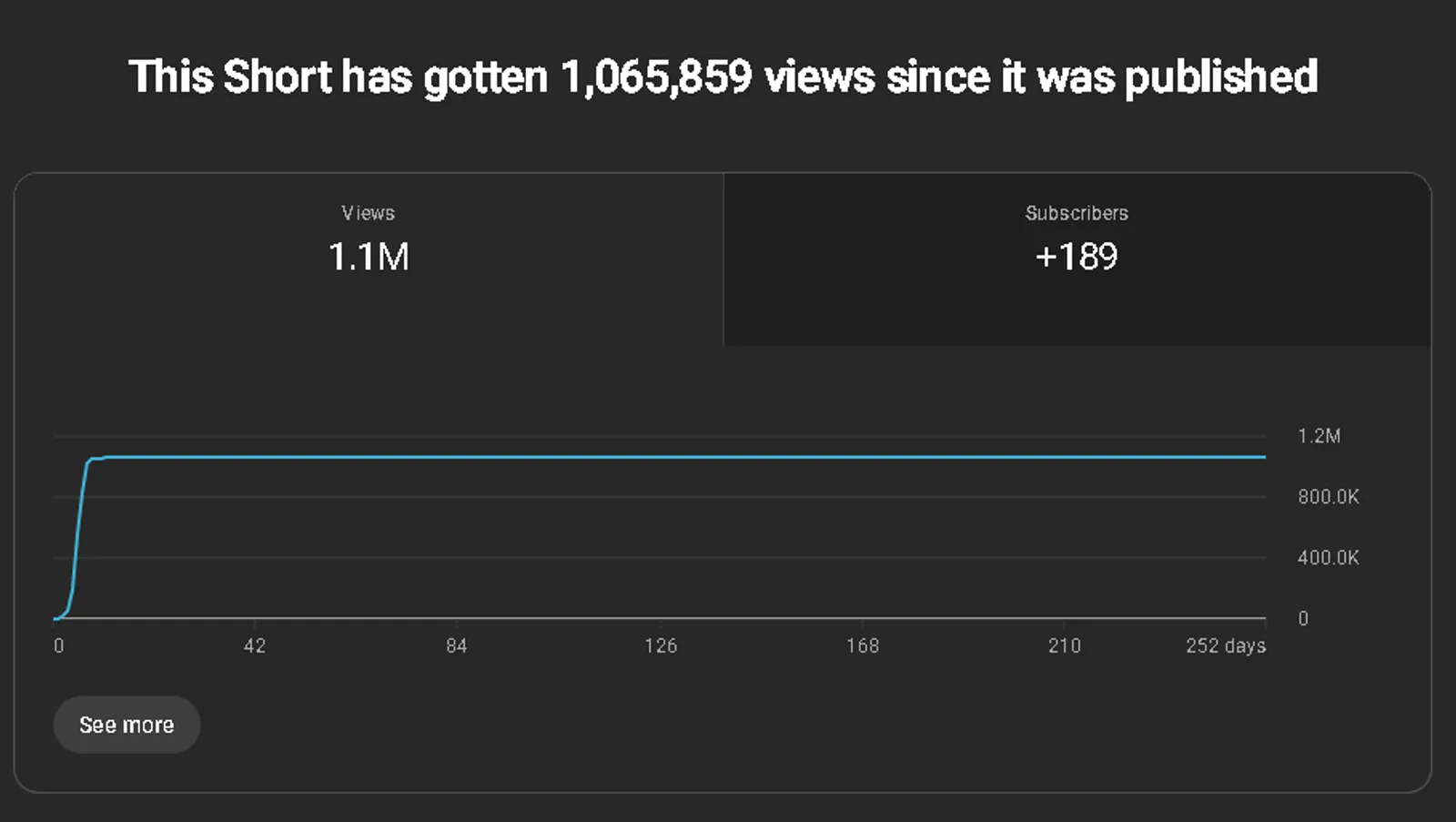
- One simple clip from this workflow hit 1M+ views
- Volume + speed beats perfection
Do Most Streamers Have an Editing Problem?
They have a clipping problem.
You go live for 4–8 hours, something funny or crazy happens, and you think:
“I’ll clip that later.”
You never do.
Or you try… and end up scrubbing through hours of footage just to find one moment.
That’s the real bottleneck.
Not editing. Not captions.
Finding the clip in the first place.
Why Is Scrubbing VODs the Biggest Bottleneck?
Most streamers:
- forget timestamps
- rely on chat to clip (and it never happens)
- or don’t have the time to go back through everything
Even if you do:
- it takes ages
- you lose motivation
- you post less
That’s why most people struggle with consistency on Shorts and TikTok.
The Workflow That Changed Everything
I stopped trying to find clips after my stream.
Instead, I started capturing them during the stream.
If something:
- funny
- interesting
- slightly entertaining
…happened, I pressed a hotkey.
That’s it.
No notes. No timestamps. No “I’ll do it later”.
How Do You Capture Clips Without Scrubbing VODs?
I built Boltis to solve this exact problem.
It runs in the background while I’m live.
- Press a hotkey → clip is saved
- After stream → all clips are ready to review
- No digging through VODs
The clip is created by Twitch on its own servers rather than recorded on your PC, which is why hotkey clipping costs you no FPS while you play.
You’re in control of your content in real time.
How Do You Turn a Clip Into a 1M+ View Short?
The clip that hit 1M+ views wasn’t anything crazy.
It was:
- a funny moment
- clipped live
- trimmed down to ~10–20 seconds
- basic captions
- clear hook in the first 1–2 seconds
No insane edits.
No overthinking.
My Editing Process (Takes Minutes)
- Trim to the best part
- Make sure the start is engaging
- Add captions
- Export
That’s it.
No effects. No over-editing.
The moment carries the content, not the edit.
Posting Strategy (Simple)
- Title that matches the clip
- Relevant hashtags
- Post and move on
People overthink this part way too much.
Content always comes first.
Why Does Volume Beat Perfection?
If I find something even slightly interesting:
→ I clip it
→ I edit it
→ I post it
If it flops? Doesn’t matter.
Because:
- you learn what works
- you improve your eye for moments
- you increase your chances of something hitting
You’ve used TikTok.
You don’t remember most clips you watched today.
And your audience won’t either.
The Real Shift
Stop thinking:
“How do I make this clip perfect?”
Start thinking:
“How do I capture more moments?”
Because more moments = more opportunities.
Final Thought
If you’re still going back through VODs to find clips,
that’s probably your biggest bottleneck right now.
Fix that, and everything becomes easier.
Once you are capturing moments live, the next step is turning them into vertical posts: see how to turn Twitch clips into TikToks. If you still need full broadcast files for archiving, our Twitch download guide covers the official VOD route.
If you want to try the same workflow, you can check out Boltis here.