The Next Best Alternative to Powder.gg in 2026
Powder.gg shut down in 2025. Clip stream moments instantly, export TikTok-ready Shorts, and skip the monthly subscription with Boltis.
Quick answer
Boltis is the best Powder.gg alternative in 2026. Powder.gg shut down in 2025. Boltis lets you press a hotkey while live to save a moment instantly through Twitch's clip API, then edit with vertical layouts, AI captions, and overlays. Core clipping, editing, and export are free forever, with 30 captions a month, with no watermark and no subscription.
Powder.gg shut down in 2025. If you were using it as part of your daily streaming workflow, you already know how much of a gap that leaves.
This guide covers what Powder.gg was, why it closed, and why Boltis is the best alternative for streamers who want to clip moments in real time, export vertical-ready content, and not pay a monthly subscription just to get started.
Download Boltis free and start clipping your next stream.
What happened to Powder.gg?
Powder.gg was a Windows desktop app that used AI to automatically detect highlights from gameplay recordings and streams. It was popular because it saved time by reviewing footage and surfacing clip-worthy moments without forcing creators to manually scrub through long VODs.
It shut down in 2025 for financial reasons, and the product became unsupported. For creators who had built a workflow around it, that meant losing a dependable clipping system overnight.
If you are rebuilding that workflow, see our guide on how to build a consistent short-form content workflow from your Twitch stream.
What did Powder.gg do well?
To write a fair comparison, it helps to acknowledge what Powder actually did well.
Its strongest qualities were automatic highlight detection for action-heavy games and local processing that kept footage on your device. For some creators, that was enough to skip manual VOD review after a long session.
Where it fell short was everything needed to actually post: no vertical editor, no auto captions, and watermarks on the free plan. Powder could find moments. It could not finish them for TikTok, Shorts, or Reels without extra tools or paid upgrades.
Boltis covers that full path in one app, which is why it is the stronger replacement for most ex-Powder users in 2026. If you are comparing other free options too, see best free Twitch clipping software with no subscription.
Why do most alternatives fall short?
A lot of alternative pages are written as if any clipping tool can replace any other clipping tool. That is not true.
Many tools are too cloud-dependent, which means uploading footage, waiting for analysis, and often running into usage limits on the free plan. Others are too subscription-heavy, with pricing in the $9.99 to $19.99 range before the creator has even proven the workflow is worth paying for.
There is also a deeper issue with AI-first tools. They guess what matters. But creators often care about moments that are contextual, personal, or community-driven, and pure event detection regularly misses those. That is especially true for reactions, niche games, inside jokes, or moments that only land if you were watching the stream.
See how Boltis handles clipping differently.
Why is Boltis the best Powder.gg alternative?
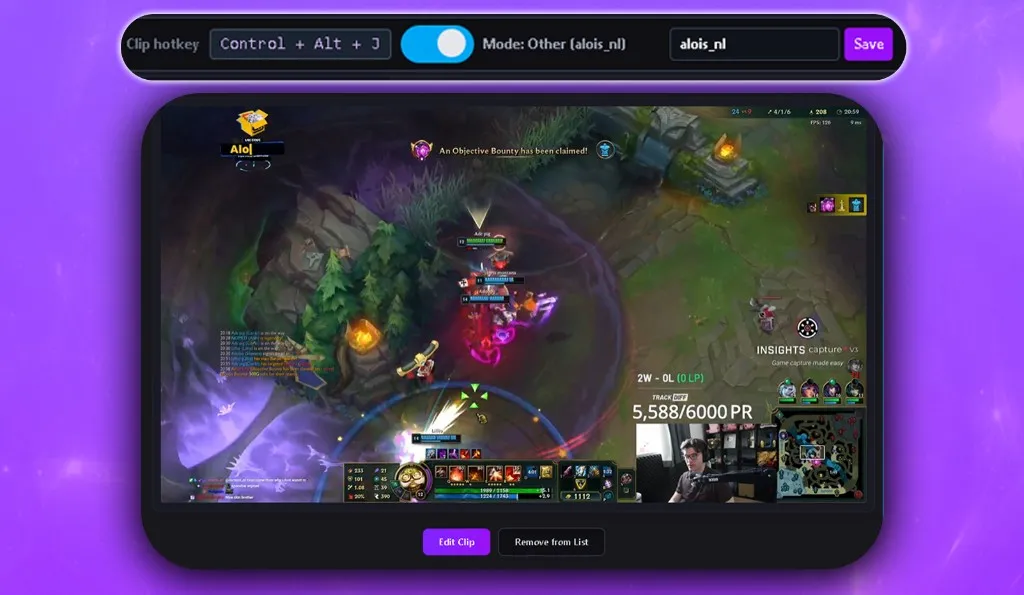
Boltis is a Windows desktop app built around one simple workflow. Press one hotkey when something worth clipping happens, and save it instantly.
That is a stronger replacement for many ex-Powder users than another AI review engine. Instead of waiting for software to guess later, you clip in real time when you already know the moment matters. That removes delay, reduces missed moments, and keeps the workflow creator-led rather than model-led.
It gives creators control
Powder’s AI had to infer which moments were important from gameplay patterns and other data signals. Boltis puts the decision back with the streamer, which is often more accurate because the creator already understands the context of the moment.
It keeps the workflow local
Boltis operates as a local workflow using Twitch’s clip API and avoids cloud upload dependency. That matches one of the main reasons creators liked Powder in the first place: footage stays under the creator’s control.
Core features are free
Core clipping and export are free, with 30 AI captions a month. Premium adds convenience features like clip sorting, tags, and layout presets. You will never hit a paywall just to capture and post your content.
That is a meaningful contrast to tools that charge a monthly subscription before giving you anything useful.
It is built for short-form output
Powder could surface highlights, but it did not ship with a vertical editor, auto captions, or clean free-tier exports. Boltis is designed to close that gap. The output is vertical, captioned, and ready to post. You do not need a second app to convert the format or apply subtitles after the fact.
Powder.gg vs Boltis
| Feature | Powder.gg | Boltis |
|---|---|---|
| Current status | ||
| Local Processing | ||
| Game Detection | ||
| Direct Twitch Import | ||
| Vertical export | ||
| Video Editor | ||
| AI captions | ||
| No watermarks | ||
| Free access |
What are creators saying about Boltis?
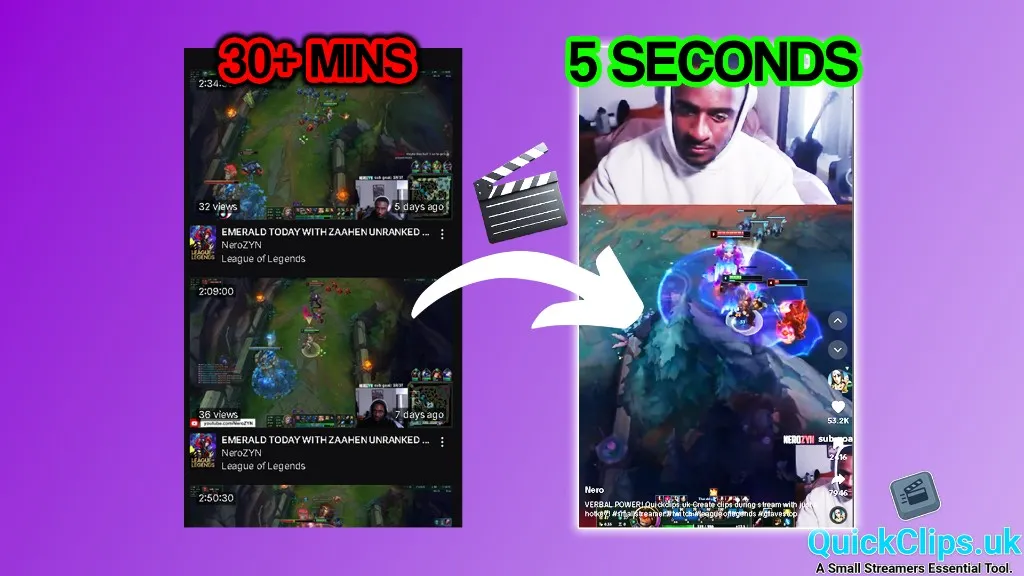
“Boltis helped me get my first 1 million+ view Short.”
That quote comes from NeroZYN, who broke down the full workflow in our post on how to clip Twitch highlights without scrubbing VODs.
How do you get started?
The free plan has no countdown and needs no credit card. New accounts also get 14 days of Premium to try, and when it ends you simply keep the free plan.
Download Boltis, set your hotkey, and you are ready to clip your next stream.
If you see a Windows Defender SmartScreen warning during install, that is a standard prompt for independently published software and does not indicate a security issue.
Read more on the Boltis download page, including why Windows may show a warning when you install Boltis.
Frequently asked questions
Is Boltis free?
Yes. Core clipping and vertical export are free, with 30 AI captions a month. Premium adds convenience features but does not gate the core workflow behind a paywall.
Does Boltis work for Twitch streamers?
Yes. Boltis is built specifically around Twitch and uses Twitch’s clip API to capture moments instantly without recording or uploading a full VOD.
What happened to Powder.gg?
Powder.gg shut down in 2025 for financial reasons. The app became unsupported, leaving its users without updates or a reliable long-term workflow.
Does Boltis upload my footage to the cloud?
No. Boltis operates locally on your machine. Your footage is not uploaded to an external server.
What platforms can I export to with Boltis?
Boltis exports in 9:16 vertical format ready for TikTok, YouTube Shorts, and Instagram Reels.
Is Boltis safe to install on Windows?
Yes. The app has been scanned by over 70 antivirus engines. The download page explains any Windows SmartScreen prompt and what to expect during setup.